
Last updated: 23 June 2026
Key Highlights
-
MetaMask, a popular browser extension wallet, supports over 10 million monthly active users across Ethereum and EVM compatible chains as of Q4 2023.
-
Hardware wallets like Ledger and Trezor offer cold storage, moving private keys offline to protect against online threats, a critical feature for assets exceeding $1,000.
-
Seed phrases, typically 12 or 24 words, are the master key to a Web3 wallet, requiring secure, offline storage to prevent unauthorized access.
-
WalletConnect, a widely adopted protocol, facilitates secure connections between over 500 dApps and various mobile/desktop wallets.
-
Regularly revoking dApp permissions, especially for inactive or suspicious connections, is a fundamental security practice, manageable through tools like Etherscan’s Token Approvals page.
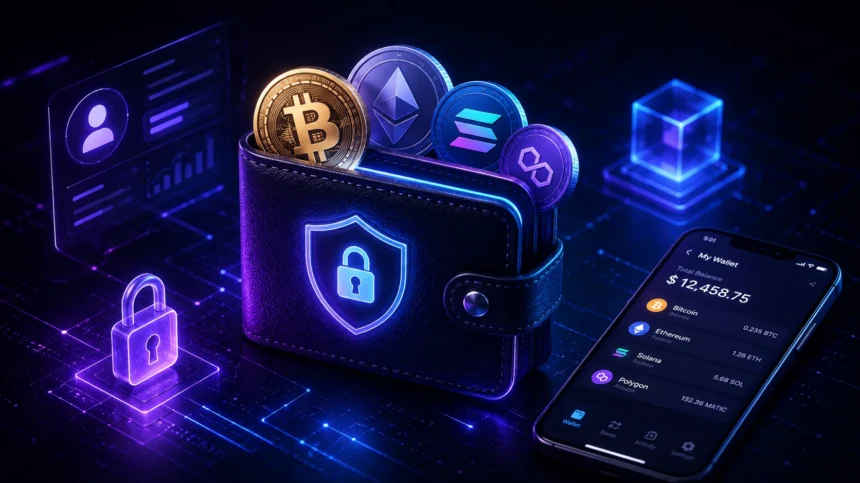
Creating a Web3 wallet is the essential first step into the decentralized internet, providing a secure, self custodial gateway to cryptocurrencies, NFTs, and decentralized applications (dApps). Unlike traditional bank accounts, these wallets give you complete control over your digital assets, eliminating the need for intermediaries. Understanding how to create a Web3 wallet involves selecting the right type, meticulously safeguarding your seed phrase, and learning to connect responsibly to the vast Web3 ecosystem.
Choosing the Right Web3 Wallet Type
The Web3 landscape offers a variety of wallet types, each designed for different levels of convenience and security. Your choice typically depends on your usage habits, the amount of assets you plan to manage, and your comfort level with technology.
Browser extension wallets, such as MetaMask or Rabby Wallet, are popular for their ease of integration with dApps directly from your web browser. They are hot wallets, meaning they are connected to the internet, making them convenient for frequent transactions and interactions with decentralized finance (DeFi) protocols or NFT marketplaces. However, their online nature exposes them to potential software vulnerabilities if your computer is compromised.
Mobile wallets, like Trust Wallet or Coinbase Wallet, offer similar functionality to browser extensions but on your smartphone. They provide portability and quick access, often incorporating features like QR code scanning for seamless transactions. While convenient, the security of mobile wallets relies heavily on the security of your device itself, including strong passcodes and biometric authentication.
For maximum security, especially for significant holdings, hardware wallets such as Ledger Nano S Plus or Trezor Model T are the industry standard. These are cold wallets, storing your private keys offline in a physical device. Transactions must be physically confirmed on the device, providing an impenetrable layer of security against online hacks. While less convenient for daily microtransactions, they are indispensable for long term storage of valuable assets.
Setting Up Your First Software Wallet: A MetaMask Guide
For many, a browser extension wallet like MetaMask serves as an ideal entry point into Web3. Its widespread adoption means excellent compatibility with most dApps on Ethereum and other EVM compatible networks like Polygon or Binance Smart Chain.
To begin, download the official MetaMask extension from your browser’s app store. Always ensure you are downloading from the authentic source to avoid phishing scams. Once installed, the extension icon will appear in your browser toolbar. Clicking it prompts you to either “Create a new wallet” or “Import wallet.” For new users, selecting “Create a new wallet” is the correct path.
You will then be asked to create a strong password. This password encrypts your wallet on your local device. Remember, this password does not recover your wallet if you lose access to your device. That crucial function is reserved for your seed phrase.
Safeguarding Your Seed Phrase: The Ultimate Security Measure
After setting your password, MetaMask will present you with your secret recovery phrase, also known as a seed phrase or mnemonic phrase. This is a sequence of 12 or 24 words that serves as the master key to your entire wallet and all its assets. Anyone with this phrase can access and control your funds, regardless of your password or physical device. This is the single most important piece of information to protect.
TCB strongly advises writing down your seed phrase on physical paper and storing it in multiple secure, offline locations. Do not store it digitally on your computer, phone, or cloud storage, as these are vulnerable to hacks. Avoid taking photos of it or sending it via email or messaging apps. Consider a fireproof safe or a secure deposit box for long term storage. Never share your seed phrase with anyone, ever. No legitimate service, exchange, or support team will ever ask for it.
MetaMask will ask you to confirm your seed phrase by re entering a few words in order. This step ensures you have correctly recorded it before proceeding. Once confirmed, your wallet is set up, and you can begin receiving and sending assets. Always double check addresses before sending funds, as transactions on blockchain networks are irreversible.
Integrating a Hardware Wallet for Enhanced Security
For users prioritizing security, especially for larger sums of cryptocurrency, integrating a hardware wallet with a software interface like MetaMask is a best practice. This setup combines the convenience of a hot wallet interface with the robust security of cold storage.
First, set up your hardware wallet according to its manufacturer’s instructions. This typically involves generating a new seed phrase on the device itself and setting a PIN. Once initialized, connect your hardware wallet to your computer via USB. Open MetaMask, click on the account icon, and select “Connect Hardware Wallet.” MetaMask will then guide you through the process of selecting your device and importing your public addresses.
With a hardware wallet connected, your private keys remain securely on the physical device. When you initiate a transaction through MetaMask, the request is sent to your hardware wallet for approval. You must manually confirm the transaction details on the hardware device’s screen, providing an essential physical barrier against remote attacks. This method significantly reduces the risk of malicious software draining your funds.
Connecting to Decentralized Applications (dApps)
Once your Web3 wallet is set up, the next step is to connect it to decentralized applications. This process is generally straightforward and relies on protocols like WalletConnect, which enables secure connections between mobile wallets and dApps, or direct browser extension integration.
Navigate to the dApp you wish to use, for example, Uniswap or OpenSea. Look for a “Connect Wallet” button, usually located in the top right corner of the interface. Clicking this button will present a list of compatible wallets. If you are using a browser extension wallet like MetaMask, selecting it will trigger a pop up asking for your permission to connect. Review the requested permissions carefully before approving.
For mobile wallets or hardware wallets connected via WalletConnect, selecting “WalletConnect” will display a QR code. Scan this code with your mobile wallet app, which will then prompt you to approve the connection. Always verify that you are connecting to the legitimate dApp URL to avoid phishing sites. Once connected, the dApp can interact with your wallet, requesting transaction signatures for actions like swapping tokens, minting NFTs, or providing liquidity.
Web3 Wallet Security and Best Practices
Maintaining strong security practices is paramount in the self custodial world of Web3. Beyond safeguarding your seed phrase, several ongoing actions can protect your assets. Regularly review and revoke dApp permissions. Over time, you might connect to numerous dApps, some of which you no longer use. Tools like Etherscan’s Token Approvals page allow you to see and revoke permissions granted to smart contracts, reducing the attack surface if a dApp you previously used becomes compromised.
Always assume every unsolicited message, email, or pop up is a phishing attempt. Legitimate crypto projects will not ask for your seed phrase or private keys. Be wary of links sent via DMs on social media platforms, as these often lead to malicious websites designed to steal your funds. Double check every URL before connecting your wallet. Implementing two factor authentication on any centralized exchange or service you use adds another layer of security, though it does not apply directly to your self custodial wallet.
Finally, practice transaction verification. Before confirming any transaction, meticulously review the details presented by your wallet. This includes the recipient address, the asset being sent, and the amount. Malicious software can sometimes alter transaction details without your knowledge. A quick, careful check can prevent irreversible loss of funds. Staying informed about common Web3 scams and vulnerabilities is an ongoing responsibility that pays dividends in protecting your digital wealth.
The TCB View
TCB believes that mastering Web3 wallet creation and security is non negotiable for anyone serious about participating in the decentralized economy. The self custodial nature of these wallets shifts responsibility entirely to the user, a paradigm shift from traditional finance that demands diligence. We see a clear win for individuals who embrace robust security practices, particularly the offline storage of seed phrases and the adoption of hardware wallets for significant holdings exceeding $1,000, as this directly mitigates the greatest risks. Those who remain complacent with digital storage or fall prey to phishing scams will inevitably face significant losses. Our read is that the ongoing evolution of wallet technology, including account abstraction solutions, will simplify some aspects of security, but the core principle of personal responsibility for private keys will remain central. Watch for increased adoption of multi party computation (MPC) wallets and social recovery features over the next 12 to 18 months, which could offer alternative security models without sacrificing self custody.