
Last updated: 21 July 2026
Content type: How To Guide
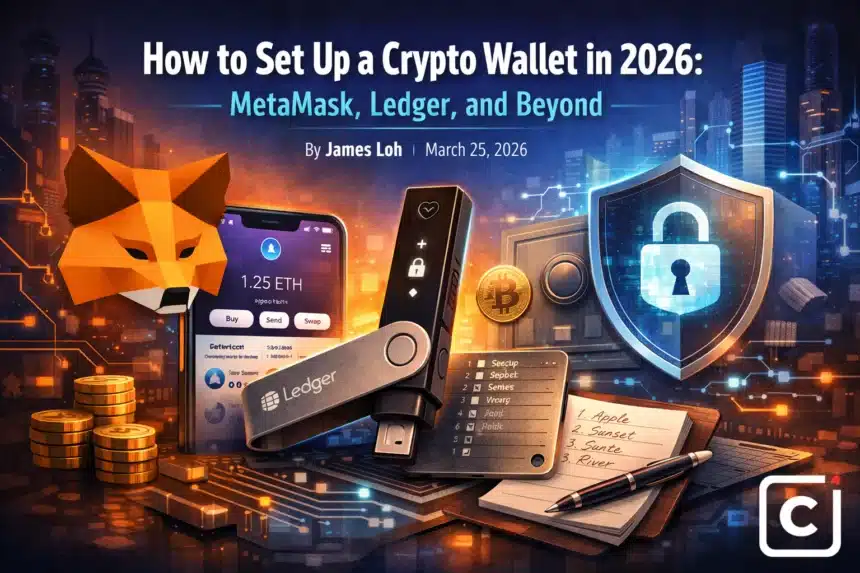
Setting up a crypto wallet in 2026 takes under 10 minutes for a software wallet and around 20 minutes for a ledger hardware wallet”>hardware device. The right wallet depends on how you use crypto: MetaMask is the standard for interacting with DeFi and web3 apps, while a Ledger or Trezor device is the right choice for storing larger holdings long term.
Key Highlights
- Key Highlight: Hot wallets (MetaMask, Trust Wallet) are always connected to the internet. Cold wallets (Ledger, Trezor) store keys offline and are far more secure.
- Key Highlight: Your seed phrase is your wallet. Anyone who has it controls your funds. Store it on paper, not digitally.
- Key Highlight: MetaMask supports Ethereum and all EVM compatible chains including Arbitrum, Base, and Polygon.
- Key Highlight: Hardware wallets sign transactions offline, meaning a compromised computer cannot steal your funds.
- Key Highlight: Never buy a hardware wallet from a third party reseller. Buy only from the official Ledger or Trezor website.
Hot Wallets vs Cold Wallets: The Core Distinction
A hot wallet is software that runs on a device connected to the internet. MetaMask, Trust Wallet, and Phantom are examples. They are convenient for frequent transactions and connecting to decentralized applications (dApps), but they are also more exposed to malware and phishing attacks.
A cold wallet (or hardware wallet) keeps your private keys on a dedicated offline device. Transactions are signed on the device and only the signed output is broadcast to the network. Your keys never touch an internet connected machine. This is why security professionals recommend cold storage for any meaningful holdings.
A practical split used by many in 2026: keep a small operational balance in MetaMask for daily use, and move the rest to a hardware wallet.
Setting Up MetaMask Step by Step
MetaMask is available as a browser extension (Chrome, Firefox, Brave) and as a mobile app for iOS and Android. Go to metamask.io and download the official extension. Be cautious: fake MetaMask extensions exist in extension stores. Confirm you are downloading from the official site.
After installation, click “Create a New Wallet.” You will be prompted to set a password (this unlocks the app locally) and then shown your 12 word seed phrase. Write it down on paper, in order. Do not take a screenshot.
MetaMask will ask you to confirm the seed phrase by selecting words in the correct sequence. This step exists precisely to ensure you wrote it down. After confirmation, your wallet is ready. The wallet address at the top (starting with 0x) is what you share to receive funds.
To add networks beyond Ethereum mainnet (such as Arbitrum or Base), go to Settings, then Networks, then Add Network. ChainList.org provides a one click network addition tool that is widely used.
Setting Up a Ledger Hardware Wallet
Order your Ledger Nano X or Nano S Plus directly from ledger.com. When the device arrives, check the packaging for tamper seals. Install Ledger Live on your desktop from ledger.com/ledger live.
Connect the device via USB, open Ledger Live, and follow the setup wizard. The device will generate a 24 word seed phrase displayed on its screen. Write each word carefully. Ledger Live will ask you to verify words from the list to confirm accuracy.
Next, install the Bitcoin or Ethereum app via Ledger Live’s App Catalog. Each blockchain requires its own app on the device. Once installed, you can generate addresses and receive funds. To send, approve the transaction directly on the hardware device by pressing both physical buttons simultaneously.
Seed Phrase Security: The Non Negotiable Rule
Your 12 or 24 word seed phrase is the master key to your wallet. It cannot be changed, and there is no recovery process if you lose it. Whoever holds the seed phrase controls the wallet entirely.
Write it on paper (or steel for fire resistance) and store it somewhere only you can access. Do not store it in a password manager, cloud drive, email, or notes app. The most common cause of permanent crypto loss in 2026 remains seed phrase mismanagement, not exchange hacks.
Multi Chain Wallets and What Is Coming
As of 2026, multichain wallets have matured significantly. Rabby Wallet (by DeBank) has become a popular MetaMask alternative, offering better transaction simulation before signing. Coinbase Wallet supports both EVM and Solana networks natively. Ledger’s hardware devices now support over 5,500 coins and tokens via companion apps.
The TCB View
The wallet ecosystem in 2026 is better than it has ever been. Setup is faster, interfaces are cleaner, and hardware options are more affordable. But the fundamental risk has not changed: self custody places full responsibility on the user. There is no “forgot password” for a seed phrase, and no FDIC insurance for a MetaMask balance.
The right approach is to treat your seed phrase with the same seriousness as a physical safe combination. The technology is ready. The question is whether each new user is prepared for the responsibility that comes with it.