


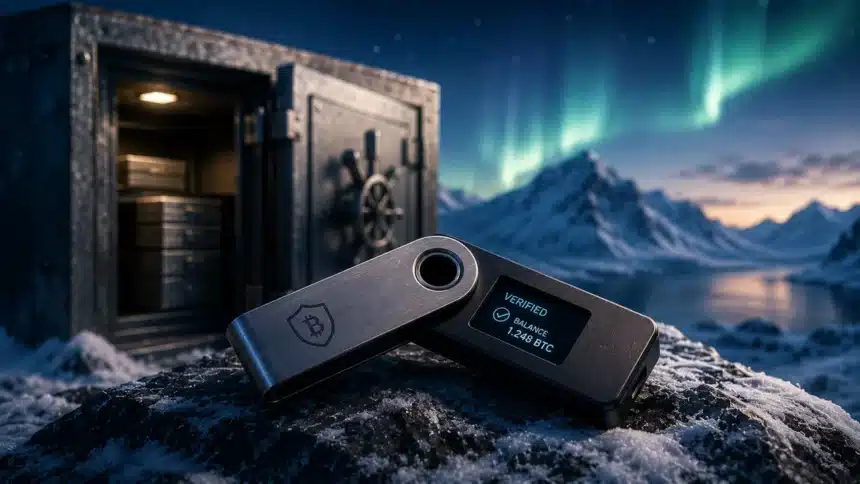
- Cold storage means keeping Bitcoin private keys on a device that is never connected to the internet, eliminating remote attack vectors entirely.
- The three leading hardware wallets in 2026 are the Ledger Flex ($249), Trezor Safe 5 ($169), and Coldcard Mk4 ($147.94), each with distinct security models and use cases.
- The setup process takes approximately 30 minutes and involves generating a seed phrase, writing it down correctly, verifying it with a test recovery, and transferring Bitcoin.
- The most dangerous step in hardware wallet setup is seed phrase handling: never photograph it, never type it into a computer, and store it in at least two separate physical locations.
- Testing seed phrase recovery before depositing significant funds is mandatory. It is the only way to know your backup actually works.
Setting up a Bitcoin hardware wallet is the single most important step any Bitcoin holder above a few hundred dollars in holdings should take. Before moving to cold storage, make sure you understand the tax implications of moving Bitcoin between wallets and exchanges. Cold storage, meaning Bitcoin keys kept on a device that never touches the internet, eliminates the entire class of remote attack vectors: malware, phishing, exchange hacks, and software vulnerabilities. None of these can steal Bitcoin from a properly configured hardware wallet because the private key never crosses an internet-connected wire. This guide walks through the complete setup process for 2026’s leading hardware wallets.
Before You Buy: Purchase Only From Official Sources
The first rule of hardware wallet security begins before the device arrives. Purchase exclusively from the manufacturer’s official website: ledger.com for Ledger, trezor.io for Trezor, and coinkite.com for Coldcard. Never buy from Amazon, eBay, Facebook Marketplace, or any secondary reseller. Tampered hardware wallets have been documented, with pre-compromised seed phrases or backdoored firmware allowing the seller to drain the buyer’s funds after setup.
When your device arrives, check the packaging integrity. Ledger uses holographic seals. Periods of extreme fear in the market are precisely when hardware wallet purchases spike, as holders realize the importance of self custody. Ledger uses holographic seals. Trezor uses a holographic seal on the packaging. Coldcard ships without tamper-evident seals but publishes detailed instructions for verifying firmware integrity at first boot. If anything looks inconsistent with the manufacturer’s documentation, contact the manufacturer before using the device.
Choosing the Right Hardware Wallet for Your Needs
The Ledger Flex is the most consumer-friendly option. Its touchscreen interface, Bluetooth connectivity for mobile use, and integration with Ledger Live (a portfolio management app) make it the easiest to use for less technical users. It stores keys on a secure element chip (SE50) that is certified at the CC EAL6+ security level, meaning it can resist sophisticated physical attacks. The tradeoff is that Ledger’s firmware is partially proprietary: the secure element’s code cannot be independently audited by the community. Ledger’s track record on hardware security is strong; the 2020 breach was of their marketing database, not the devices themselves.
The Trezor Safe 5 prioritizes open source transparency. Both the hardware design and firmware are fully open source, meaning any security researcher in the world can audit the code for vulnerabilities. Its color touchscreen and Trezor Suite software make it user-friendly. The tradeoff is that Trezor does not use a certified secure element chip; instead it uses a general microcontroller with custom protections. This is a genuine security difference, though no successful firmware extraction from a Trezor in a real world theft scenario has been documented.
The Coldcard Mk4 is designed for technically proficient users who understand why private key security is the foundation of Bitcoin ownership. It can operate in fully air-gapped mode: transaction signing happens entirely on the device, with data moving to and from a computer via microSD card or QR codes, with no USB connection required. It supports multisig natively and has duress PIN features (revealing a decoy wallet under coercion). Its interface is text-based with a number pad, lacking the touchscreen comfort of the other two. For anyone holding significant Bitcoin who is comfortable with some technical complexity, the Coldcard represents the gold standard.
Step One: Initialize the Device and Generate Your Seed Phrase
After unboxing and verifying your device, follow the setup wizard. At the critical step, the device will generate a seed phrase, typically 24 words drawn from the BIP-39 standard wordlist of 2,048 common English words. These 24 words are a human-readable encoding of your private key. They are the complete and only backup of your Bitcoin holdings on this device.
Write every word down exactly, in the correct numbered order, using a pen on paper. Do not rely on memory. Do not type the words into any electronic device. Do not photograph them. Do not speak them aloud near any device with a microphone. The seed phrase is generated entirely within the hardware device and is never transmitted anywhere: as long as you handle it correctly, only you will ever know it.
Read back your written words against the device display multiple times before confirming setup is complete. One transposed letter in a single word renders the entire backup invalid. Most hardware wallets require you to confirm several words from your seed phrase before completing setup, as a basic verification check. This confirmation step does not substitute for a full recovery test.
Step Two: Perform a Full Recovery Test
Before transferring any Bitcoin to the device, perform a recovery test. This is not optional. It is the only way to confirm that your written seed phrase is correct and that you know how to use it.
On a Ledger Flex: go to Settings, then Security and Privacy, then Reset Device. Confirm the reset (this wipes the device). When the setup wizard appears again, select “Restore from recovery phrase” instead of generating a new one. Enter your 24 words in order. When complete, open Ledger Live and verify that the same Bitcoin receiving addresses appear as before the reset. If they match, your backup is correct.
On a Trezor Safe 5: go to Settings, then Device, then Factory Reset. Follow the same process: after reset, restore from your seed phrase and verify the addresses match in Trezor Suite.
On Coldcard Mk4: use the Danger Zone menu to perform a seed phrase test without wiping the device, which is more convenient. Alternatively, perform a full reset and restore to verify completely.
This test takes 15 minutes and can save everything. Many people discover errors in their written backup during the recovery test: a misheard word, an illegible handwriting issue, or a word recorded out of order. Finding this error with zero funds on the device is the correct time to find it.
Step Three: Transfer Bitcoin to Cold Storage
After your recovery test confirms the backup is correct, you are ready to receive Bitcoin. Open your wallet software (Ledger Live, Trezor Suite, or Sparrow Wallet for Coldcard), navigate to receive, and generate a receiving address. Before copying it, verify the address on the hardware device’s screen. Your computer or phone could display a malware-substituted address; the device’s screen cannot be spoofed in the same way.
Send a small test amount first: perhaps $20 worth of Bitcoin. Wait for at least three confirmations on the blockchain. Then open your wallet software and confirm you can see the incoming transaction. Only after this test succeeds should you transfer your full holding. This extra step costs you perhaps $2 in transaction fees and eliminates the risk of a large transfer to a misconfigured address.
Once your Bitcoin is in cold storage, it is safe as long as your seed phrase is secure and you never enter it into a non-hardware device. Verify your balance in the read-only companion software periodically. Tax obligations arise when you move or spend Bitcoin, not from simply holding it in cold storage. You do not need to connect the hardware device to check your balance: the blockchain is public and the software can reconstruct your balance from your addresses without the private key.
Seed Phrase Storage: The Critical Practice After Setup
Your seed phrase needs at minimum two physical copies stored in separate locations. The risk of keeping only one copy in one location is a single point of destruction: a house fire, flood, theft, or accidental loss eliminates your access to your Bitcoin permanently.
Paper is vulnerable to fire, water, and physical degradation over time. For holdings above approximately $5,000, consider a metal seed phrase storage product. Options include Cryptosteel Capsule (letters inserted into a stainless steel cylinder), Bilodeau Steel Wallet (letters stamped into steel), and Blockplate (letters punched into 0.25-inch aluminum). Metal backups survive house fires, floods, and decades of storage without degradation.
Store copies in genuinely separate locations: your home safe is one location, a bank safe deposit box is another, a trusted family member’s fireproof safe is a third. The locations should be geographically separated enough that a single disaster does not destroy all copies simultaneously. Never store the seed phrase in any internet-connected location or cloud service.
When to Use Multisig Instead
For holdings above approximately $100,000 in Bitcoin, single-signature cold storage has a structural weakness: anyone who finds your seed phrase controls your Bitcoin. A multisig setup requires multiple keys (held on multiple hardware wallets or by multiple custodians) to authorize any transaction.
A 2-of-3 multisig configuration means three keys exist and any two must sign a transaction. You might keep one key on a Ledger Flex at home, a second on a Coldcard at a bank, and a third held in an inheritance arrangement. Losing one key does not lose your Bitcoin. A thief finding one key cannot steal it. This is the standard for serious self custody at significant holding sizes. Services like Unchained Capital and Casa offer assisted multisig setups for users who want this security without managing the full technical complexity themselves.
Inheritance Planning: The Step Most People Skip
Cold storage solves the security problem but creates an inheritance problem. If you die or become incapacitated, your heirs need to know: that you hold Bitcoin, where the hardware wallet is, where the seed phrases are, and how to access them. Without this information, the Bitcoin is gone when you are gone.
The solution does not require giving your seed phrase to anyone right now. Understanding why Bitcoin ownership is mathematically secured helps clarify exactly what you are protecting when you set up cold storage. It requires leaving a documented recovery plan. Understanding how Bitcoin private keys and ownership work is essential reading before tackling inheritance planning. in a location your executor or trusted heir can access: a letter of instruction in an estate attorney’s sealed file, a document in a bank safe deposit box accessible by your executor, or a structured inheritance service like Casa Inheritance that walks heirs through recovery with professional assistance. Create this documentation and update it whenever you change your setup. Your heirs should not need to be technical: the instructions should be detailed enough for a non-technical person following them carefully to succeed.
Free Daily Briefing
Get the Daily Briefing
Crypto, AI, and Web3 intelligence. Free, every day.
The Daily Brief by TCB
Crypto, AI & finance intelligence in 5 minutes. Every weekday morning. Free.