


Last updated: 9 April 2026
Key Highlights
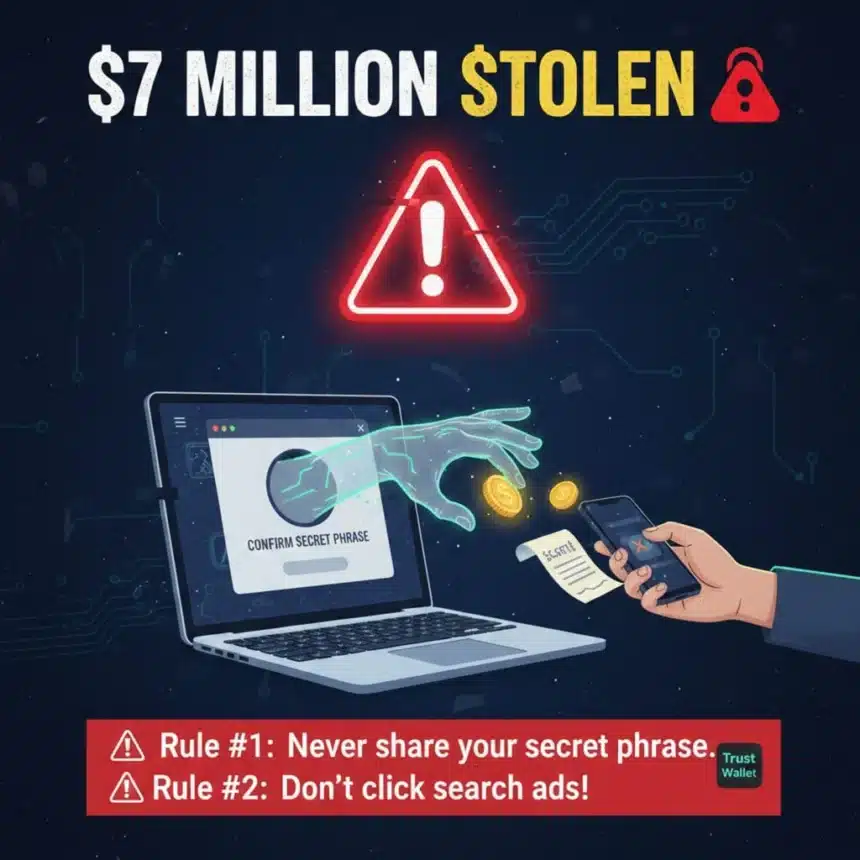
- A Perfect Disguise: Scammers created a fake version of the Trust Wallet browser tool that looked identical to the real one and used paid search ads to trick people into downloading it.
- Stealing the Master Key: The fake software tricked users into typing in their “secret list of words,” which gave the thieves full access to their private accounts.
- A Massive Theft: By the time the scam was caught, the hackers had moved roughly $7 million into their own pockets, money that cannot be recovered.
- Trust is the Target: This attack succeeded by tricking people rather than breaking computers, proving that you should never share your secret words with any app or website.
In the world of digital money, a single mistake can lead to a massive loss. Recently, many people who use a tool called Trust Wallet found this out the hard way. They lost a total of $7 million because of a clever trick involving a fake program on their web browsers.
This wasn’t a movie style break in. Instead, it was a digital trap designed to trick people into handing over the keys to their own savings. Here is the story of how it happened, why it worked, and how to stay safe.
A Fake Mirror
The trouble started with a small piece of software that people add to their internet browsers to help them manage their money. Trust Wallet is a real company with a real version of this tool. However, scammers created a fake version that looked exactly like the real one.
They used the same logos and colors so that it was almost impossible to tell the difference. To make sure people found it, the scammers paid for advertisements on search engines. When someone searched for the real wallet, the fake one appeared at the very top of the list. Many people clicked on it, thinking they were downloading the official version.
Handing Over the Keys
Once the fake tool was on a person’s computer, it waited for a specific moment. When you set up a digital wallet, you are given a “secret list of words.” This list acts like a master key to your safe. Anyone who knows these words can take all the money in that account.
The fake program was designed to show a box asking the user to type in their secret words. The moment a person typed them in, the words were sent directly to the scammers. With those words in hand, the thieves could log into the real accounts and move all the money to themselves. Because this type of money moves instantly and has no central office to stop it, the cash was gone forever.
Why the Trick Worked
The reason this worked so well is that the scammers didn’t attack the computers; they tricked the people.
- It Looked Right: Because the fake tool looked perfect, people didn’t feel any danger.
- The Top Result: Most of us believe that the first result on a search page is the safest one. The scammers used this trust to get ahead of the real company.
- A Helping Hand: When a program asks for a password or a key during a setup process, many people provide it without thinking twice because they want to finish the task.
A Costly Lesson
Trust Wallet eventually worked to get the fake tools removed, but for those who lost their money, there was no way to get it back. This event shows that when you manage your own money online, you have to be your own security guard.
The company reminded everyone that they will never ask for your secret words in a pop up window or an email. If a program asks for those words out of the blue, it is almost always a scam.
Keeping Your Savings Safe
You can protect your money by following a few simple habits:
- SafeGuard Your Words: Never, ever tell anyone your secret list of words. Write them on a piece of paper and hide it in a drawer. Never type them into a computer unless you are 100% sure you are in the right place.
- Skip the Ads: When looking for a website or a tool, ignore the links at the top that say “Sponsored” or “Ad.” It is safer to type the company’s website name directly into your browser.
- Take a Breath: If a program suddenly asks for your most private information, stop and ask yourself why. Scammers rely on making you feel rushed or worried.
By staying alert and questioning things that look a little too easy, you can keep your digital “front door” locked tight against thieves.
Free Daily Briefing
Get the Daily Briefing
Crypto, AI, and Web3 intelligence. Free, every day.
The Daily Brief by TCB
Crypto, AI & finance intelligence in 5 minutes. Every weekday morning. Free.