


Key Highlights
- A crypto wallet is your digital remote control for money. It doesn’t physically hold your coins; instead, it provides the private access codes that allow you to manage and move your funds on a giant, shared digital ledger.
- It is important because it gives you total ownership and security. Unlike a traditional bank that can freeze your account or limit your access, a personal wallet puts you in complete control of your wealth without needing permission from anyone.
- Setting it up is as simple as installing a trusted app. Once you install a reputable wallet app on your phone or computer, you simply follow the prompts to “Create a New Wallet” and set a security passcode for daily access.
- The most critical step is safely recording your “Secret Words.” During setup, you will be given a list of 12 to 24 words; you must record it and hide them securely, as they are the only way to recover your money if your device is ever lost or broken.
A Simple Guide to Your First Crypto Wallet
Entering the world of digital money can feel a bit like landing on a different planet. There is a lot of new talk, but at its heart, it is very similar to things you already know. If you want to own digital coins, the first thing you need is a “wallet.”
Think of a crypto wallet not as a leather pouch for coins, but as a digital remote control for your money. Your money isn’t actually in the app; it lives on a giant, shared digital ledger. Your wallet is just the tool that lets you move it around.
Setting one up is easier than you think. Here is a friendly, step-by-step guide to getting started without any of the confusing “tech-speak.”
Step 1: Choose Your Style
There are two main ways to keep your digital coins. Imagine choosing between a high-tech bank and a personal home safe.
- The “Easy-Start” Way (Exchange Wallets): When you sign up for a website where you buy coins, they give you a wallet automatically. It’s like a bank account where you have a username and password, and they look after the “heavy lifting.” Remember: the website has the “keys” to the vault.
- The “Be Your Own Boss” Way (Personal Wallets): These are apps you download to your phone or computer. You are the only one with access. No one can freeze your account, but if you lose your password, there’s no “forgot password” button to click.
Step 2: Download and Create
If you decide to go with a personal app, find a highly-rated reliable or genuine app on your phone’s app store. Once you open it, you’ll usually see a big button that says “Create New Wallet.”
The app will ask you to create a standard passcode or use your fingerprint/face ID. This is just to stop someone who picks up your phone from opening the app. It’s the first layer of your digital “front door.”
Step 3: Meet Your “Magic Words” (The Most Important Part!)
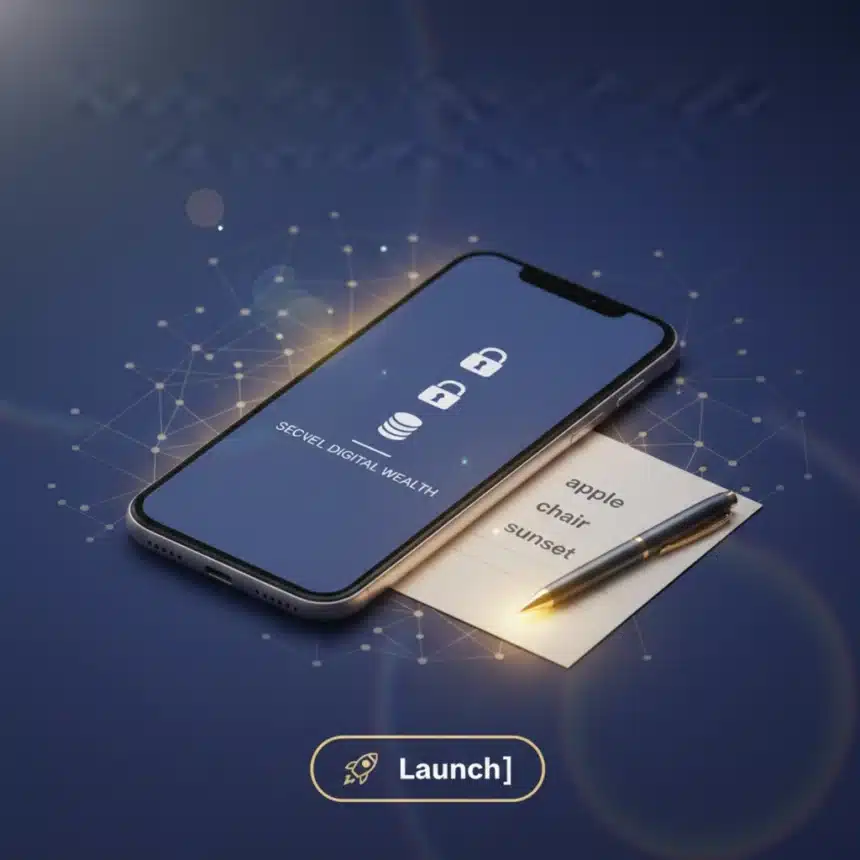
This is the part where most people get nervous, but it’s actually very simple. Instead of a long, complicated password of symbols and numbers, your wallet will show you a list of 12 to 24 simple words (like apple, chair, sunset, blue).
In the digital world, these words are your everything.
- What they do: If you lose your phone or it breaks, you can download the app on a new phone, type in these words, and your money will reappear.
- The Golden Rule: Never, ever share these words with anyone. If a “helper” online asks for them, they are trying to steal from you.
- How to store them: Do not take a photo of them or save them in your email. Write them down on a piece of paper with a pen and hide that paper in a safe place. Treat it like a gold bar.
Step 4: Your Digital “Mailing Address”
Once your words are backed up, your wallet is ready! You will see two main buttons: Send and Receive.
When you click “Receive,” you will see a long string of letters and numbers. This is your address. Think of it like your home address or an email address. If someone wants to send you money, you give them this address.
A Quick Tip: You don’t need to type this long code out. You can just copy and paste it or let the other person scan a square barcode (QR code) on your screen.
Step 5: Safety First
Now that you’re set up, here are three simple rules to live by:
- Start Small: Before moving a lot of money, try sending a tiny amount just a few dollars’ worth to make sure you’ve got the hang of it.
- Double-Check: Always look at the first and last three characters of an address before you hit send. If the address is wrong, the money goes to the wrong person, and there is no way to get it back.
- Silence is Golden: You don’t need to tell the world how much you have in your wallet. Keeping a low profile is the best security.
Summary Table: Wallet Setup at a Glance
| Step | Action | What to Remember |
| 1 | Pick an App | Choose a well-known, highly-rated wallet app. |
| 2 | Create Password | Set a pin or use face ID for daily access. |
| 3 | Write Down Words | Write your 12-24 words on paper. No digital copies! |
| 4 | Get Your Address | Use the “Receive” button to find your digital mailbox. |
| 5 | Test Run | Send a tiny amount first to build your confidence. |
Setting up a wallet is the first step toward true financial freedom. It might feel new today, but once you’ve done it, you’ll realize it’s just another way to manage what’s yours.